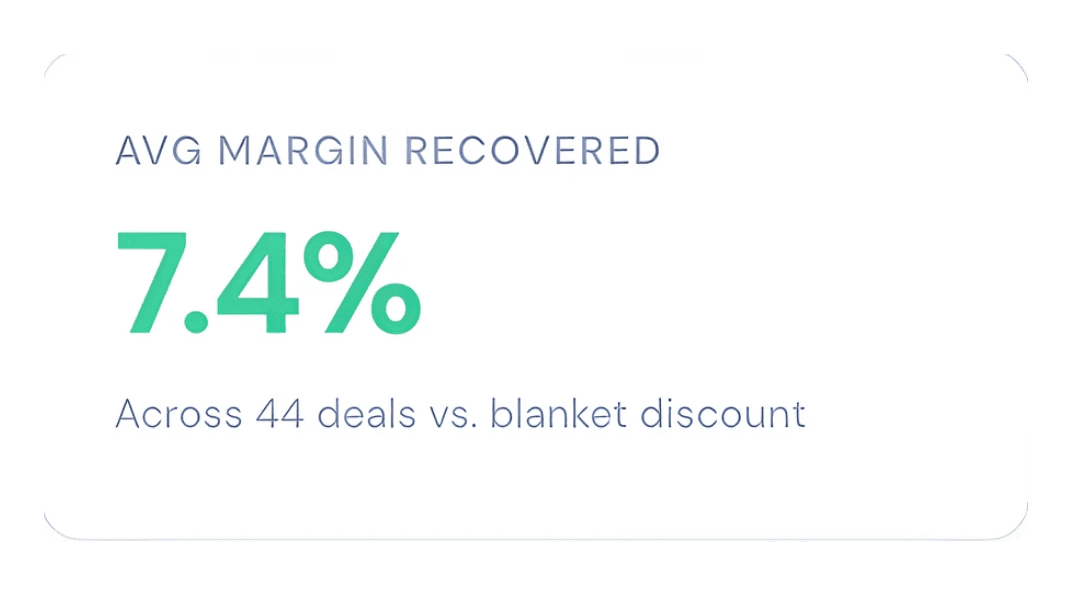
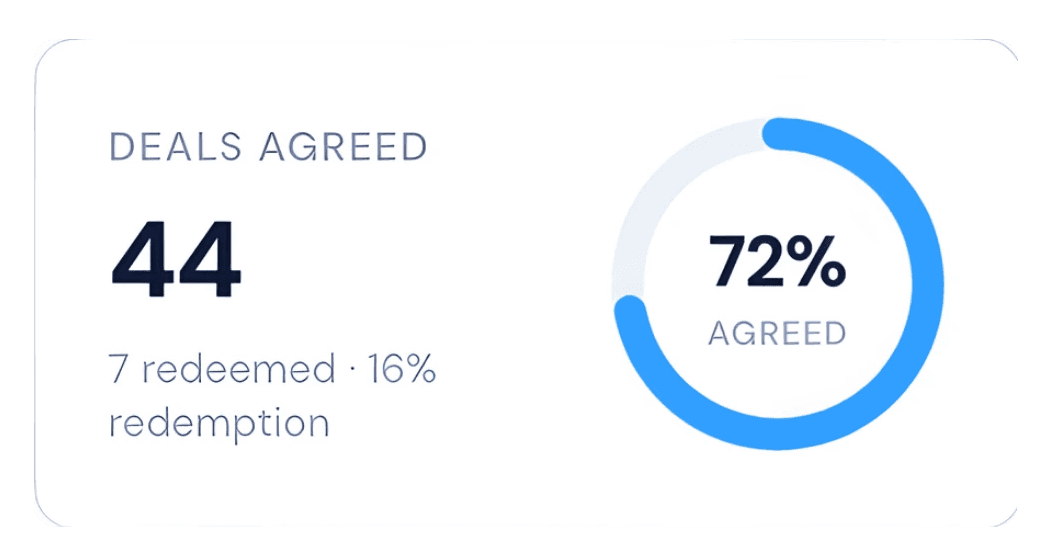
Set a floor on every product and choose when Flux appears. It only ever negotiates inside the rules you control. ↓

Three ways to run Flux
More sales shouldn't have to come at the expense of your margins. Choose how Flux shows up - store-wide, or product by product.

The Open Offer
Flux sits in the open on full-price products - visible the moment a shopper lands.
Best for
Full-margin ranges, hero products and high-ticket items where there's room to move.

Deal on Top of the Deal
Already running a sale? Nothing to change - Flux reads the discounted price automatically and negotiates from there, down to a floor only you can see.
Best for
Clearance, seasonal sales, end-of-line and slow-moving stock you want gone.

The Right-Moment Offer
Full price holds by default - Flux reads shopper behaviour and appears at the moment of hesitation: as they move to leave, after a pause, on deep scroll, or when they go idle.
Best for
Premium brands and stores that want to hold their price and never look "always on sale".
Mix & match
You don't have to pick just one.
- Keep Flux visible for more deal volume.
- Trigger it on hesitation to protect full price.
- Use it on sale stock to clear inventory faster.
Every lever, in one place
One rule per product. Set it once and Flux negotiates inside it on your store and in ChatGPT.

- 1Max discount sets your floorAt 17% max, Flux never goes below £1,074.85 on a £1,295 bed. It's a percentage, so the floor holds in every currency.
- 2Opening offerWhere the conversation starts. At 5%, shoppers open at £1,230.25 - not at your floor.
- 3Listed price, synced from ShopifyChange the price in Shopify and the rule follows automatically. Sale prices included.
- 4Negotiation style and toneUse your store default or set it per product, with a tone and language that sound like your brand.
- 5When Flux appearsFollow your store-wide Personalisation setting, or override it for this product - always visible, or only at the moment of hesitation.
- 6Campaign windowOptional start and end dates. Run a rule for a weekend sale and it stops on its own.
- 7Available in ChatGPTTick to let AI shoppers discover and negotiate this product inside ChatGPT. Untick to keep it on-store only.
Where Flux can move - and where it can't
Henley Upholstered Bed, listed at £1,295 with a 17% max discount and a 5% opening offer.
Every quote lands between the opening offer and your floor.
Flux can't haggle endlessly - it works towards a price that fits inside your rule.
Below your floor, Flux won't agree - unless you choose to approve it with follow-up.
No deal? You still get the final say.
When a keen shopper's best offer lands below your floor, Flux holds firm - then lets you decide if it's worth following up. Turn it on in your dashboard.

- 1
The shopper leaves their email
If the store can meet their offer, Flux will send their code over. Totally optional for them.
- 2
You see what they were willing to pay
An email and an "Interested" negotiation in your dashboard, with the product, listed price and their best offer.
- 3
Approve or decline
Approve and Flux mints a code at their price and emails it to them - you never handle their details yourself.
Run 5 products or 500
The Rules page is where you see everything Flux is allowed to negotiate - and change it in a click.
Every product at a glance
Listed price, floor, max discount and status side by side - search and filter in a click.
Inventory-aware
Rules watch your stock and pause automatically, so Flux never promises a deal you can't keep.
Pause without deleting
Pause a rule yourself and turn it back on later with the same settings.
Nothing slips through
See at a glance which products have no rule - and so can't be negotiated.
What never changes
- Your public list price
- Your floor stays private
- One code per agreed deal
- Checkout stays on your store
Your store. Your margins. Your strategy.
Set your rules. Flux handles the negotiation.
Install Flux, set a floor on the products you want negotiable, and choose how it shows up. If it closes nothing, you pay nothing.
 Install on Shopify
What rules do I control?
You choose which products Flux can negotiate on, the maximum discount, negotiation style and how the ai should behave to reach a deal and also the tone of the conversation. Flux handles the back-and-forth automatically, but every offer stays inside the commercial rules you set.

How does Flux stop discount gaming?
Flux is not an open-ended coupon machine. It considers shopper context, uses memory and other secure identification methods, negotiation behaviour, product rules, and offer limits before making a deal, to prevent abuse. If the negotiation does not make sense for your margin, Flux can hold the line instead of giving money away.
Why does ChatGPT matter here?
Shopping is moving into AI agents. Flux lets your products be negotiated inside channels like ChatGPT, not only on your storefront. That means a shopper — or their AI assistant — can reach a deal while Flux still follows your pricing rules.
When do I pay Flux?
Flux is built around recovered revenue. There is no upfront cost to get started, and you only pay when Flux helps complete a sale. If a negotiation does not convert, there is no fee for that conversation.
How fast can we go live?
Shopify stores can install Flux, choose products, set rules, and start testing in just 2 minutes. Other ecommerce platforms can use a quick setup path, and the same core rules apply: you stay in control of what Flux can offer.